CS 40 - Lecture 2
Cay S. Horstmann
Alice

- Learn basic lingo
- Carry out a simple task
- Gain confidence
Dealing with Complexity
- Computers are complex
- more complex than algebra
- less complex than a single-celled organism
- Need to dive in before you understand everything
- Not everyone's favorite learning style
- Set yourself simple task
- Be happy when you succeed
Rules of Engagement
- Work with your buddy
- Pair programming
- Submit your answers in eCampus
- Even if it is no good—no penalty
- Use ActiveLecture.org to give
feedback
- Too boring? See penultimate slide
Anonymous Poll (No Wrong Answer)
Log in to http://ActiveLecture.org
How Do You Rate Your Computer Skills? (Email, word processing, etc.)
- Excellent (know file system, keyboard shortcuts)
- Good (get everything done without getting frustrated)
- Fair (get stuff done but struggle a lot)
- Poor (ofte challenged by simple tasks, can't complete tasks)
- Other (please explain)
Your Mission
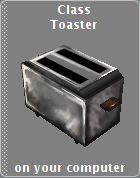
- Make an object hop around a circle
Learning Step 1: Invoke Methods
- Pick an object and add it to the world
- ...but not the same as your neighbors
- Make it hop once: Right click, select commands to
- move up,
- move sideways,
- move down
What's the Point?
- Learn the system: Where to find stuff, where to click
- Learn the lingo: Objects, methods
- Are we done yet?
- No—doesn't hop around a circle
- Missing: Turns, repetitions
- Missing: Replay
Programming
- Programming = Making replay possible
- Programmer = Movie director
- Program user = Movie watcher
- Most programs can react to user input
Learning Step 2: world.my first method
- Program = sequence of canned steps
- Put step into world.my first method
- Usually start with a Do in order; drag it
- Drag in three toaster moves (but don't use
a toaster)
- Click Play, watch it hop
- Repeat.
- You are a programmer!
Learning Step 3: Responsibilities
- Object-oriented programming: match objects and their
responsibilities
- Should the world make the toaster hop?
- Should the toaster hop itself?
- Create new "hop" method for toaster (use
your object)
- Drag code from world.my first method to
toaster.hop
- What do you put into world.my first method? ←
ActiveLecture.org
Learning Step 4: Loops
- Remember original goal: hop around a circle
- Turn a bit after each hop (try 0.05 revolutions; custom number)
- Hop, turn, hop, turn
- Add these calls to hip to world.my first method
- How many more calls do we need to add to go around the circle?
← ActiveLecture.org
Loops
- Drag Loop into world.my first method
- Drag a hop and turn into the loop; ditch the other
- Play and enjoy
- Did you solve our task?
- What did you learn? ← ActiveLecture.org
Too Boring?

- Make hopping smoother
- Make your object say something
- Vary radius of circle (Hint: Create new variable)
Reminder
- Save your world (hop.a2w)
- Upload to eCampus
- When working with a buddy, put in the buddy names (first and last!) in
the comment field.
- Tonight, put your photo into eCampus