The purpose of this lab is for each team member to have a
codegrader project directory that has these properties:
- It is the CVS checkout of your team's project in Oslo
- It is a NetBeans JavaEE project
It is very important that this works, so each of you will take turns,
and the others will watch with VNC to make sure that none of you do
anything stupid. Don't click Ok until the rest of your team agrees!
Start with the savviest team member.
You will use the NetBeans CVS GUI, which is quite a bit nicer than
using the command line.
- Do you already have a local CVS checkout of your team's project? Is
it in a directory that ends in codegrader? Is there a
codegrader/CVS subdirectory? Show these to your teammates. If
so, skip to step 2. If not, fire up NetBeans and select CVS ->
Checkout from the menu. Fill out your user name and your team's CVS root
information:
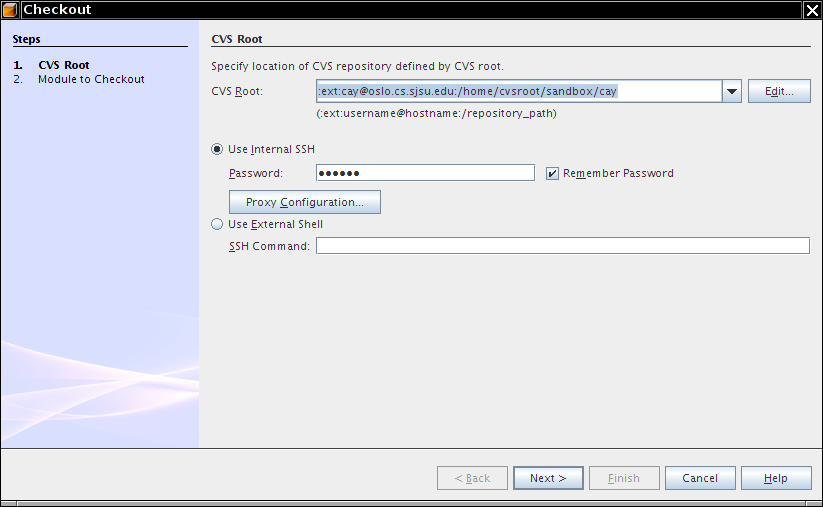
Click Next and
click on the first Browse button. Browse the CVS repository:
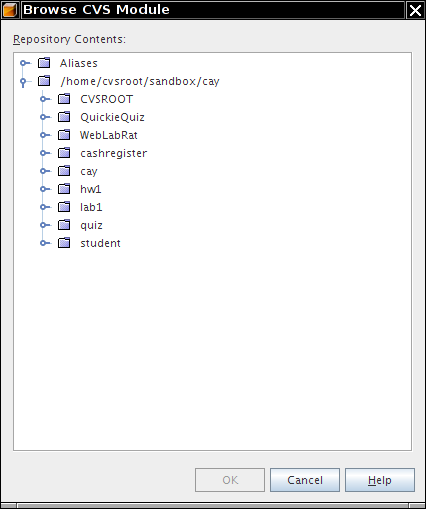
Pick codegrader. Then select a suitable
parent directory (such as your Cygwin home). Check out. When you are
asked, if you want to import the project into NetBeans, say
no.
Show your teammates that you now have a
~/codegrader/CVS. You just used NetBeans as a friendly frontend
to cvs checkout.
- Is your codegrader already a NetBeans project? For the first team
member, the answer is probably no. If you have subdirectories
nbproject, then the answer is yes. Look for these
directories:
find ~/codegrader -name "nbproject"
If it isn't
yet a NetBeans project, then select Project -> New Project ->
Enterprise Application. Create the project as described in lab 5.
If it is a NetBeans project, then
select Project -> Open Project.
- Make a small change in your personal progress report (which I trust
was a part of the project). If not, add a report file. Use your favorite
HTML editor, not NetBeans.
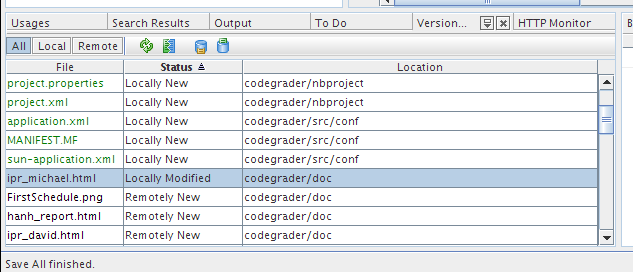
- In NetBeans, select CVS -> Show all changes. You should get a
report such as this one:
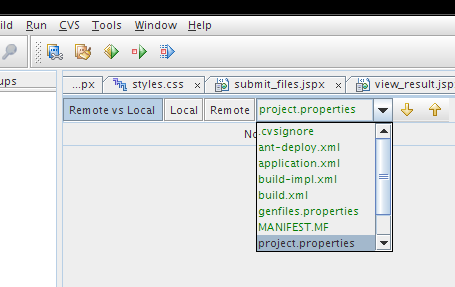
- To get a more detailed idea of the changes, select CVS -> Diff
all files:
- Now check in your changes. CVS -> Commit all files. It's now the
next team member's turn.