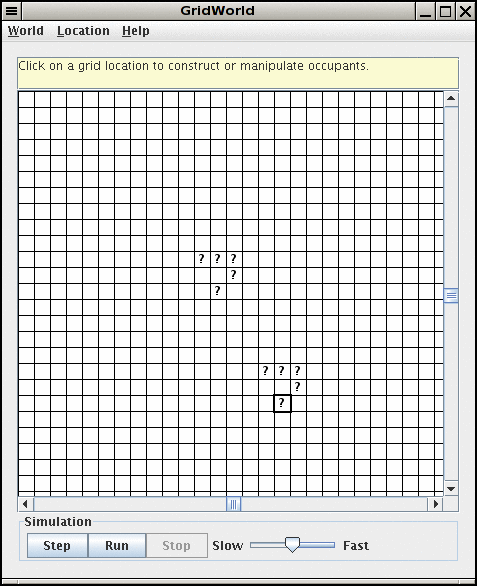
import javax.swing.JFrame;

public class ExP8_8
{
   public static void main(String[] args)
   {
      JFrame frame = new JFrame();

      final int FRAME_WIDTH = 500;
      final int FRAME_HEIGHT = 500;

      frame.setSize(FRAME_WIDTH, FRAME_HEIGHT);
      frame.setTitle("ExP8_8");
      frame.setDefaultCloseOperation(JFrame.EXIT_ON_CLOSE);

      PolygonComponent component = new PolygonComponent();
      frame.add(component);

      frame.setVisible(true);
   }
}
import info.gridworld.grid.Grid;
import info.gridworld.grid.Location;
import info.gridworld.world.World;

public class LifeWorld extends World<String>
{
    public void step()
    {
        // your work goes here
    }

    // This method lets the user click on a location
    // to toggle its content
    public boolean locationClicked(Location loc)
    {
        Grid<String> grid = getGrid();
        if (grid.get(loc) == null) // empty
            grid.put(loc, "?");
        else
            grid.remove(loc);
        return true;
    }
}
You also need a runner program such as this one:import info.gridworld.grid.UnboundedGrid;
public class LifeWorldRunner
{
public static void main(String[] args)
{
LifeWorld world = new LifeWorld();
world.setGrid(new UnboundedGrid<String>());
world.show();
}
}
You need to implement the step method so that it calculates the next
generation. Use the Grid methods - getOccupiedLocations
- getNeighbors
CAUTION: This is a bit harder than it sounds--you cannot simply add or remove occupants as soon as the count matches the rules. That would affect other counts. Instead, keep two array lists
ArrayList<Location> aboutToDie = new ArrayList<Location>();Fill them with the appropriate locations. At the end of the step method, process them:
ArrayList<Location> aboutToBeBorn = new ArrayList<Location>();
for (Location loc : aboutToDie) grid.remove(loc);
for (Location loc : aboutToBeBorn) grid.put(loc, "?");
To test your class, simply add cells to your world (by calling world.getGrid().put(loc, "?")), call step, and check that the correct locations are occupied (by calling world.getGrid().get(loc)).
Submit LifeWorld.java and LifeWorldTester.java